klipan.ai vs Submagic: which is better for business videos?
By Josip Misko, Founder of klipan.ai · Last updated
Submagic gives you fast captions and one-click AI tools in an editor you run yourself. klipan.ai plans your video like a real editor, finds the story, then hands you the finished edit.
Pick Submagic if you want to choose your own caption style from a big template library and run quick one-click cleanup at a low price, and you're happy to check and export each video yourself. Pick klipan.ai if you're a coach, consultant or expert with something to sell and want the story decided for you: you upload a raw talking-head video, and within an hour you usually have a finished edit that opens on your hook and uses visuals to show what you're saying.

 klipan.ai
What does klipan.ai do with a raw talking-head video?
It turns your raw take into a finished video without reshooting anything. The original take is on the left, and the video klipan.ai made from it is on the right. Turn the sound on to hear the difference.
What each tool does with a raw takeCan Submagic edit a raw talking-head video by itself?
Partly, and more than it used to. Smart Trim cuts dead air and filler words in one click, and Remove Bad Takes "drops the flubbed lines and repeated attempts". AI Auto Edit adds captions, b-roll, zooms and transitions, and its help center says it handles "overall pacing and structure". Submagic's pages don't say which take it keeps when you've said a line twice, or whether it ever moves your strongest line to the front. Its hook is an animated title over the first seconds of the video.
Submagic is a browser editor with three paid plans and a free trial. You pick a style, run the tools, check the result and export it yourself. Its own agencies page suggests using it "for first cuts so your editors can focus on creative decisions." Choosing between Submagic and klipan.ai comes down to whether you want fast tools you steer, or want the story decided and the edit done for you.
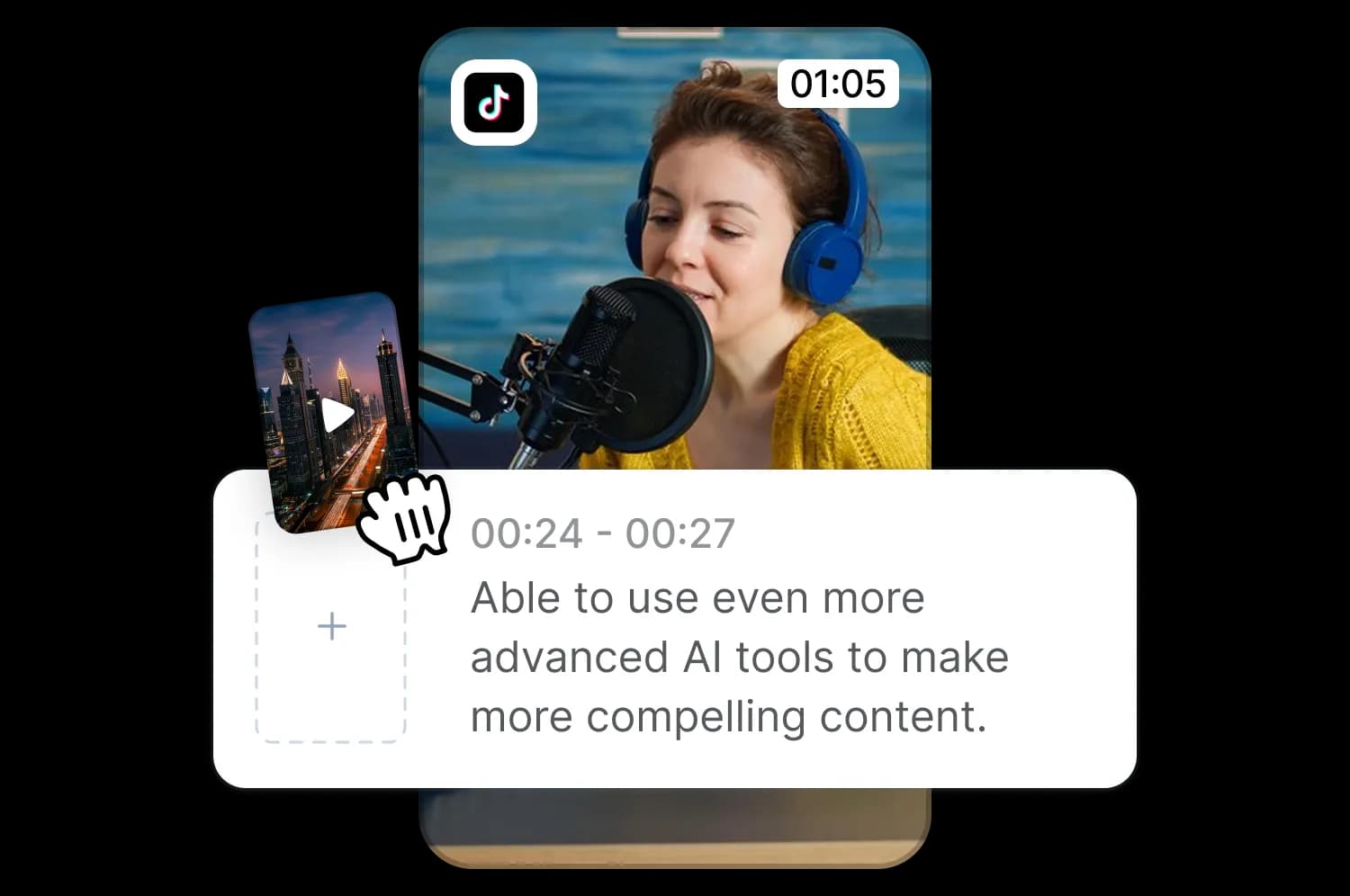
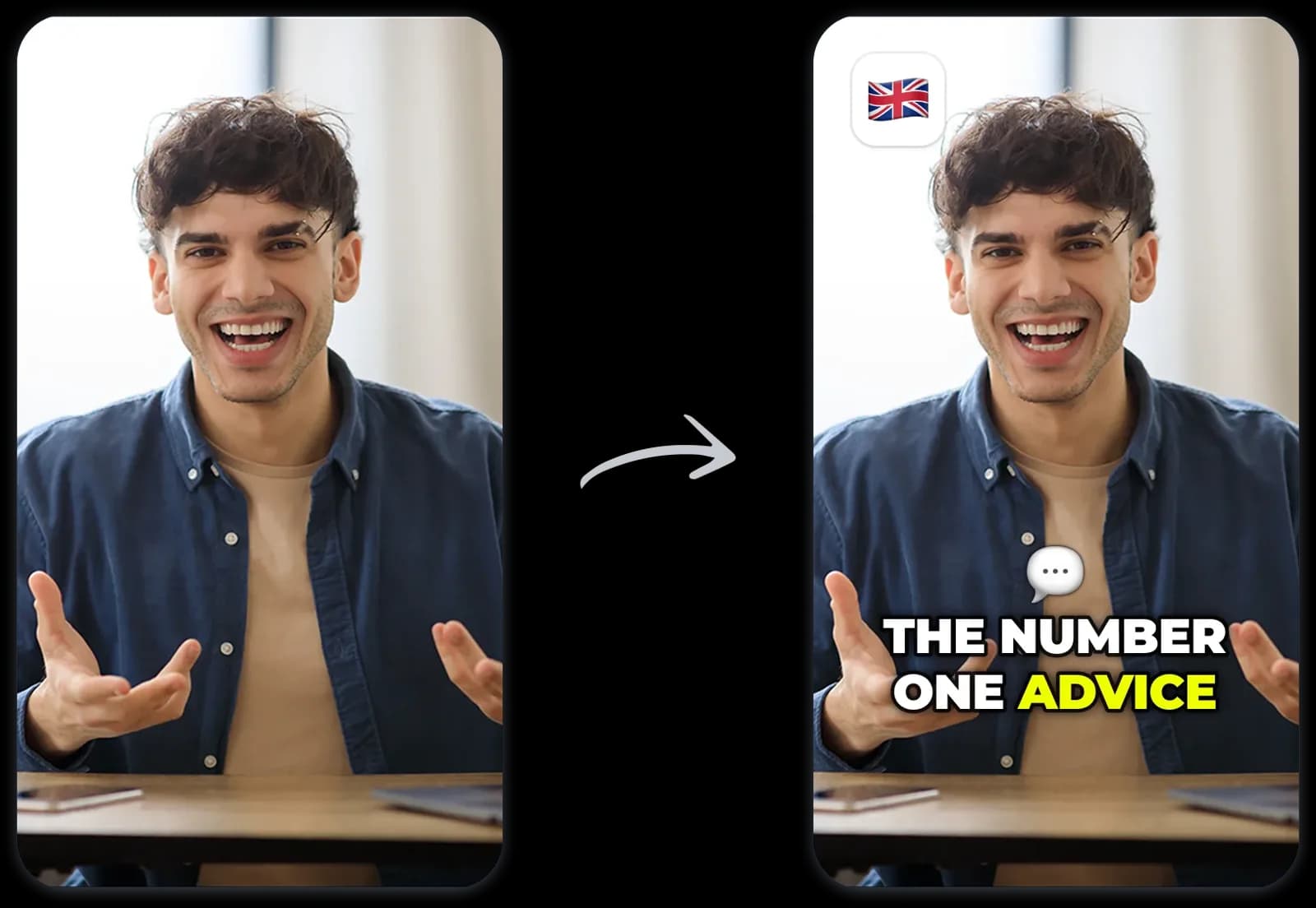
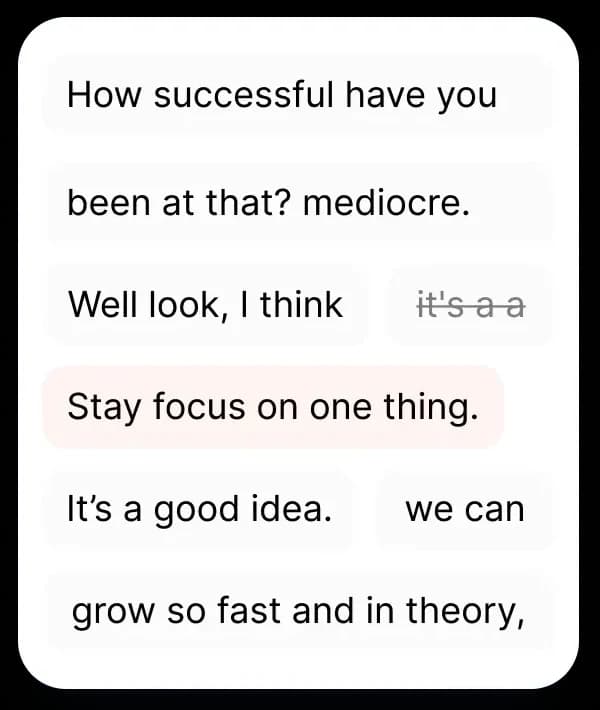
klipan.ai vs Submagic: side-by-side comparison for business videos
- Who it's for
- SubmagicCreators, businesses, agencies and marketing teams who post short videos. It has a page for coaches too.
- klipan.aiCoaches, consultants and experts who talk to camera to win clients.
- What you upload
- SubmagicA video file, or a YouTube or Google Drive link, up to 3,000 MB. Videos can be up to 2, 5 or 30 minutes long, depending on your plan.
- klipan.aiOne raw video of you talking to camera, straight from your phone. Restarts, flubs and long rambles are fine. Add your logo, b-roll, photos, music or script if you have them.
- What you get back
- SubmagicAn edited project in Submagic's web editor. You review it and export an MP4, from 720p up to 4K depending on your plan, in five aspect ratios. Magic Clips turns one long video into 20+ short clips.
- klipan.aiA finished video, usually in under an hour: a vertical 9:16 MP4 (1080x1920, 30 fps), ready for TikTok, Instagram Reels and YouTube Shorts.
- Who does the editing
- SubmagicYou, with one-click AI. AI Auto Edit and Smart Trim make a first pass. You pick the style, adjust the captions, zooms and b-roll, and export.
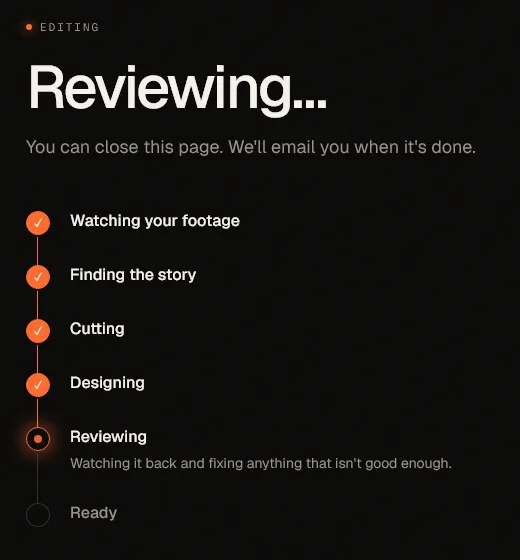
- klipan.aiklipan.ai plans the edit like a real editor. It learns your goal, watches your whole video to find the story, cuts the restarts and dead air, keeps your best take of each line, and opens on your hook. You ask for changes in plain words.
- Captions
- SubmagicWhat it's best known for. 35+ animated templates to pick from, highlighted word by word, custom fonts, a brand kit, emojis and keyword highlights, in 100+ languages. Basic AI captions don't use credits.
- klipan.aiSynced word by word, styled to your look, so it works with the sound off. Switch them off or fix a word yourself.
- B-roll and motion graphics
- SubmagicMagic B-roll adds stock clips that match your transcript, with a slider for how often. It also makes AI-generated b-roll and images, zooms, transitions and GIFs. Its pages don't describe custom motion graphics.
- klipan.aiGraphics, images and animations that show what you're saying the moment you say it, built around one visual idea for the video. It works in your own b-roll and photos too.
- Price per month
- SubmagicStarter $19, Pro $39 and Business $69 per member a month, or $12, $23 and $41 a month billed yearly. Each plan comes with credits for uploads and AI tools.
- klipan.ai$49 a month for about 4 videos, or $129 for about 12. One extra video is $15.
- Free plan
- SubmagicNo free plan. A free trial lets you upload 3 short videos without a card. Trial exports are watermarked.
- klipan.aiNo. Your first month is covered by the Proud-to-Post Guarantee instead: if your first 3 videos aren't ones you're proud to post, it's refunded in full.
- Learning curve
- SubmagicSmall. Its coaching page says there's no timeline to learn and most tasks take 3 clicks or less.
- klipan.aiNone. There is no timeline or editing software to learn. You answer a few quick questions and upload your video.
- Planning
- SubmagicIts pages don't describe planning the story. AI Auto Edit's help page mentions "pacing and structure" without saying what changes.
- klipan.aiBefore it edits, it learns your goal, watches the full take, finds the story and plans one visual idea for the whole video.
- Takes and order
- SubmagicRemove Bad Takes drops flubbed lines and repeated attempts. Its pages don't say which take it keeps or whether it moves lines around.
- klipan.aiIt keeps your best take of each line and opens on your hook, even if you said it last.
- What the result looks like
- SubmagicYour take, trimmed, with animated captions, a hook title, stock b-roll, zooms and music added.
- klipan.aiA story built from your best takes. It opens on your hook and includes visuals that match what you're saying, word-synced captions, music, sound effects and clean audio.
- Music and sound
- SubmagicA music library with mood filters, 10 preset sound effects and Clean Audio. Its pages call the music licensed but don't spell out commercial use.
- klipan.aiMusic, sound effects and a cleaned-up voice, added as part of the edit. Or send your own track.
- Where it runs
- SubmagicIn your browser. There's no phone app: you can upload from a phone browser, but you edit on a computer.
- klipan.aiIn your browser, on your phone or your computer. No app to install.
- Speed
- SubmagicA captioned video in under a minute, it says. Magic Clips takes 10 to 25 minutes. Then you review and export.
- klipan.aiUsually back in under an hour. Your part is the upload and the review.
- What you can export
- SubmagicAn MP4 from 720p to 4K by plan, in 9:16, 4:5, 1:1, 16:9 or the original ratio.
- klipan.aiA finished MP4, without a project file or separate subtitle (SRT) file. You can still open the MP4 in any video editor.
- AI avatars
- SubmagicYes, 120+ AI actors with AI voices.
- klipan.aiNo. It only edits footage of the real you, and never generates faces or voices.
| Submagic | klipan.aiklipan.ai | |
|---|---|---|
| Who it's for | Creators, businesses, agencies and marketing teams who post short videos. It has a page for coaches too. | Coaches, consultants and experts who talk to camera to win clients. |
| What you upload | A video file, or a YouTube or Google Drive link, up to 3,000 MB. Videos can be up to 2, 5 or 30 minutes long, depending on your plan. | One raw video of you talking to camera, straight from your phone. Restarts, flubs and long rambles are fine. Add your logo, b-roll, photos, music or script if you have them. |
| What you get back | An edited project in Submagic's web editor. You review it and export an MP4, from 720p up to 4K depending on your plan, in five aspect ratios. Magic Clips turns one long video into 20+ short clips. | A finished video, usually in under an hour: a vertical 9:16 MP4 (1080x1920, 30 fps), ready for TikTok, Instagram Reels and YouTube Shorts. |
| Who does the editing | You, with one-click AI. AI Auto Edit and Smart Trim make a first pass. You pick the style, adjust the captions, zooms and b-roll, and export. | klipan.ai plans the edit like a real editor. It learns your goal, watches your whole video to find the story, cuts the restarts and dead air, keeps your best take of each line, and opens on your hook. You ask for changes in plain words. |
| Captions | What it's best known for. 35+ animated templates to pick from, highlighted word by word, custom fonts, a brand kit, emojis and keyword highlights, in 100+ languages. Basic AI captions don't use credits. | Synced word by word, styled to your look, so it works with the sound off. Switch them off or fix a word yourself. |
| B-roll and motion graphics | Magic B-roll adds stock clips that match your transcript, with a slider for how often. It also makes AI-generated b-roll and images, zooms, transitions and GIFs. Its pages don't describe custom motion graphics. | Graphics, images and animations that show what you're saying the moment you say it, built around one visual idea for the video. It works in your own b-roll and photos too. |
| Price per month | Starter $19, Pro $39 and Business $69 per member a month, or $12, $23 and $41 a month billed yearly. Each plan comes with credits for uploads and AI tools. | $49 a month for about 4 videos, or $129 for about 12. One extra video is $15. |
| Free plan | No free plan. A free trial lets you upload 3 short videos without a card. Trial exports are watermarked. | No. Your first month is covered by the Proud-to-Post Guarantee instead: if your first 3 videos aren't ones you're proud to post, it's refunded in full. |
| Learning curve | Small. Its coaching page says there's no timeline to learn and most tasks take 3 clicks or less. | None. There is no timeline or editing software to learn. You answer a few quick questions and upload your video. |
| Planning | Its pages don't describe planning the story. AI Auto Edit's help page mentions "pacing and structure" without saying what changes. | Before it edits, it learns your goal, watches the full take, finds the story and plans one visual idea for the whole video. |
| Takes and order | Remove Bad Takes drops flubbed lines and repeated attempts. Its pages don't say which take it keeps or whether it moves lines around. | It keeps your best take of each line and opens on your hook, even if you said it last. |
| What the result looks like | Your take, trimmed, with animated captions, a hook title, stock b-roll, zooms and music added. | A story built from your best takes. It opens on your hook and includes visuals that match what you're saying, word-synced captions, music, sound effects and clean audio. |
| Music and sound | A music library with mood filters, 10 preset sound effects and Clean Audio. Its pages call the music licensed but don't spell out commercial use. | Music, sound effects and a cleaned-up voice, added as part of the edit. Or send your own track. |
| Where it runs | In your browser. There's no phone app: you can upload from a phone browser, but you edit on a computer. | In your browser, on your phone or your computer. No app to install. |
| Speed | A captioned video in under a minute, it says. Magic Clips takes 10 to 25 minutes. Then you review and export. | Usually back in under an hour. Your part is the upload and the review. |
| What you can export | An MP4 from 720p to 4K by plan, in 9:16, 4:5, 1:1, 16:9 or the original ratio. | A finished MP4, without a project file or separate subtitle (SRT) file. You can still open the MP4 in any video editor. |
| AI avatars | Yes, 120+ AI actors with AI voices. | No. It only edits footage of the real you, and never generates faces or voices. |
Submagic's rows come from Submagic's own website, pricing page, help center, API docs and Terms of Use, read November 1, 2026. Its pricing page contradicts itself in places, including which plans include Remove Bad Takes, Auto Zoom and Clean Audio, so check their pricing page before you pick a plan. What users say comes from public reviews on Trustpilot and Product Hunt, read the same day. klipan.ai's rows come from our own plans and product. Last checked: November 1, 2026. Prices in US dollars; see klipan.ai pricing.
Where Submagic is better than klipan.ai
- Better
It costs less
Submagic's Starter plan is $19 a month ($12 billed yearly), and Business is $69 for credits worth about 100 uploads. klipan.ai starts at $49 for about 4 videos.
- Better
You can try it free
Submagic's free trial lets you upload 3 short videos without a card, though trial exports are watermarked.
- Better
Speed and control
Submagic says a captioned video takes under a minute, and you can fine-tune every caption, zoom and b-roll clip yourself. klipan.ai plans first, so an edit usually takes under an hour. You change things by asking in plain words.
- Better
Long videos, teams and automation
Magic Clips turns one podcast into 20+ shorts. Business has unlimited seats, and there's an API, scheduling to TikTok, Reels, Shorts and LinkedIn, and exports up to 4K. klipan.ai edits one talking-head video into one finished vertical video.
Is klipan.ai cheaper than Submagic?
- Starter
- $19 / month
- 45 credits (an upload costs 3), videos up to 2 minutes. $12 a month billed yearly
- Pro
- $39 / month
- 120 credits, videos up to 5 minutes, 3 seats. $23 a month billed yearly
- Business
- $69 / month
- 300 credits, videos up to 30 minutes, up to 4K. $41 a month billed yearly
klipan.ai- Starter
- $49 / month
- About 4 finished videos, one a week
- Pro
- $129 / month
- About 12 finished videos, three a week
- One more video
- $15
- Add a single video in a busy month
The Proud-to-Post Guarantee: we edit until you're proud to post it. If your first 3 videos aren't, your first month is refunded in full.
They charge for different things. Submagic charges for credits to run its AI tools, and you still check, fix and export each video. klipan.ai charges for the finished edit, which comes to about $12 a video on Starter or about $11 on Pro. Weigh that price against what one new client is worth to you: if a single client brings in more than a month of klipan.ai, it pays for itself. If your videos don't have a paid offer behind them yet, start with a free editor for now.
Where the editing hours go instead
Serving your clients
Running coaching sessions and calls to get your clients results.
Selling
Taking sales calls and following up in DMs with people who reached out after your video.
Creating
Planning what to say next and filming more often.
Building your offer
Working on your program, course or next launch.
Prices in US dollars, last checked November 1, 2026. Submagic says its prices vary by region and app store.
Submagic or klipan.ai: which is better for talking-head videos?
klipan.ai is better if you want the story edited for you, and Submagic is better if you want fast captions and one-click cleanup that you steer yourself.
Say you film two minutes on your phone: you restart your opening twice, wander off once, and your best line, the one that would make a client message you, comes at 1:42.
You do the edit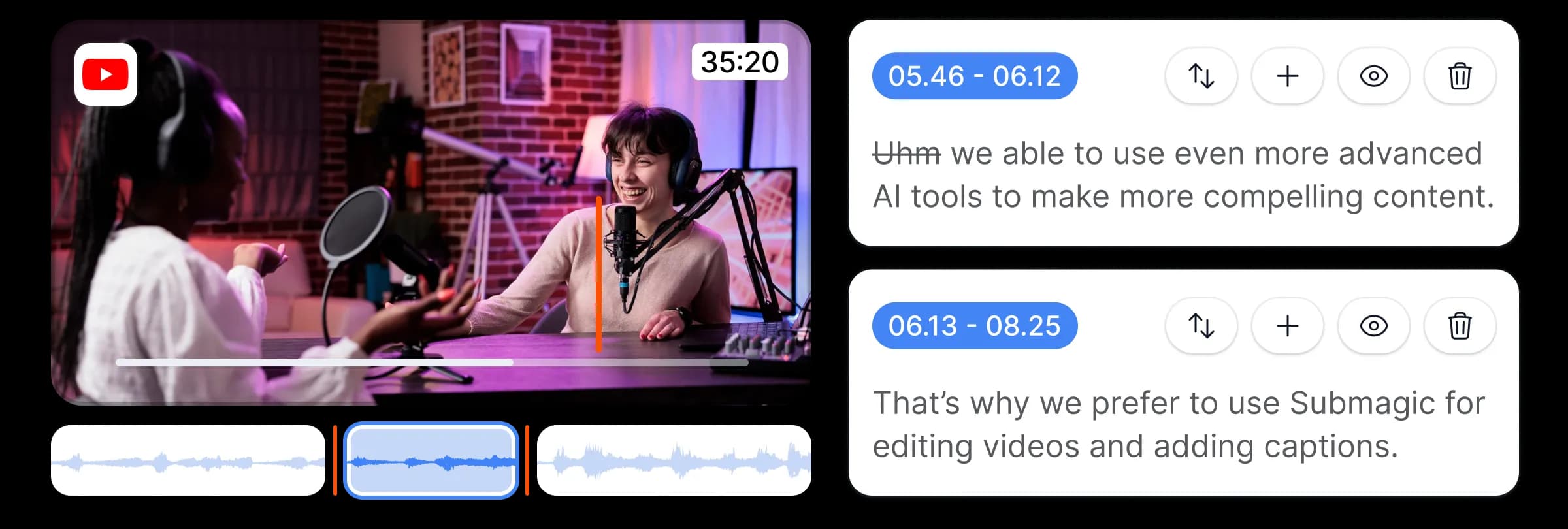
- 01Smart Trim cuts the dead air and filler words, and Remove Bad Takes drops the flubbed lines and repeated attempts. Animated captions go on in the style you picked.
- 02AI Auto Edit adds b-roll, zooms, transitions and music. Submagic's pages don't say which of your three openings it keeps, or whether it moves 1:42 to the front. The hook it describes is an animated title over the first seconds. If your best line stays at 1:42, moving it is up to you.
- 03Then you check every caption, zoom and b-roll clip, fix what's off, and export.
klipan.aiThe edit comes back done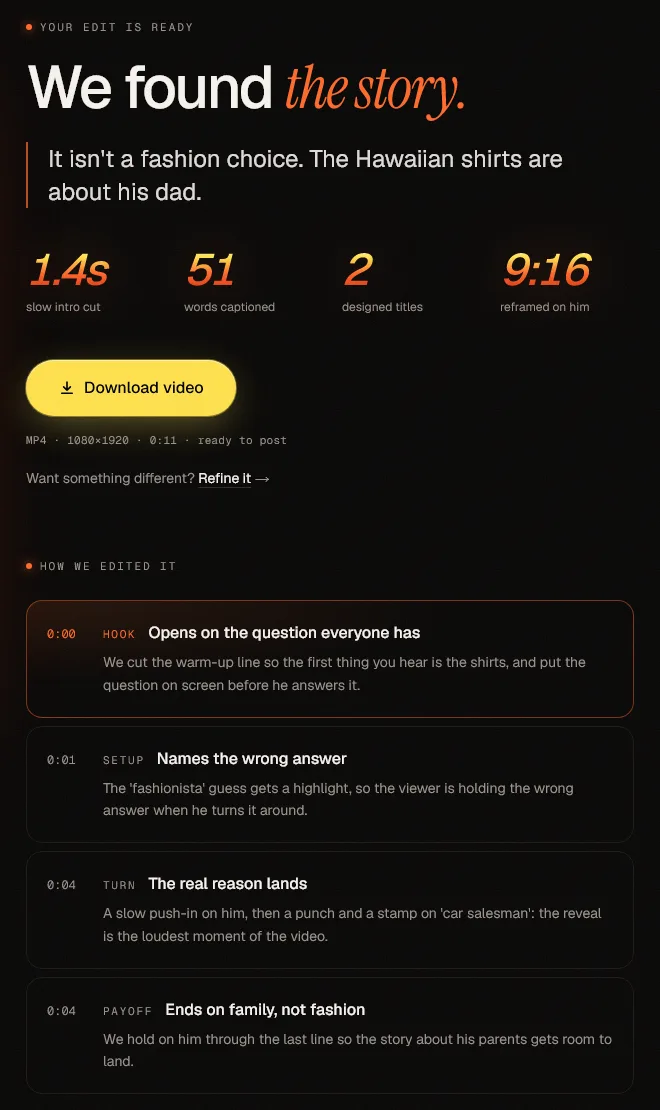
- 01You answer a few quick questions about the goal of the video, who it's for and what viewers should do next. klipan.ai goes through everything you said to find your main point, strongest hook and payoff.
- 02It cuts the restarts and dead air, keeps your best take of each line and opens the video on what you said at 1:42.
- 03It builds visuals around one idea to match what you're saying and adds captions, music, sound effects and clean audio. You usually get the video back in under an hour and can ask for changes in plain words.
What does klipan.ai do that Submagic doesn't?
First it plans
- 01
It learns your goal
A few quick questions: what the video is for, who it's for, and what you want viewers to do afterwards.
- 02
It watches your whole video
It reads everything you said and picks the best version of each line.
- 03
It finds the story
Your main point, the moment that grabs attention, and the payoff.
- 04
It plans one visual idea
The graphics follow one idea that builds from start to finish.
Then it edits
Each clip below is a real klipan.ai edit, complete with captions, music, sound effects and clean audio.
A hook that stops the scroll
Your strongest moment goes first, even if you said it last, so the people you want don't scroll past.
Visuals that show what you're saying
Graphics, images and animations appear right as you make your point. They follow one visual idea for the whole video rather than dropping in stock clips matched to your words.
Clean cuts
It cuts mistakes, restarts and long pauses and keeps the best take of each line. In this clip, 41 seconds of raw footage comes down to 15.
How to compare Submagic and klipan.ai on your own video
- Step 1
Pick a real raw take of one to two minutes (Submagic's Starter limit is 2) that has at least one restart and doesn't open with your best line.
- Step 2
Run it through Submagic with AI Auto Edit and Remove Bad Takes on. Note which take of the restarted line it keeps and what the video opens on. Then fix it until you'd post it, and time yourself.
- Step 3
Upload the same take to klipan.ai and answer its few quick questions. Count your own minutes on the questions, the upload and the review. The wait doesn't count.
- Step 4
Put the two side by side. What does each one open on? Is any restart left in? How many of your minutes did each take?
Weigh what each one opens on and the minutes you spent against the price and the wait. Submagic's side costs nothing on its free trial. On klipan.ai's side, the Proud-to-Post Guarantee refunds your first month if your first 3 videos aren't ones you're proud to post.
Is klipan.ai a good Submagic alternative?
Submagic is best for
- ✓People who like to pick their own caption style from a big template library, fast.
- ✓Turning podcasts and long videos into lots of short clips.
- ✓Teams and agencies posting at volume, with seats, an API and scheduling.
- ✓Budgets under $50 a month.
klipan.aiklipan.ai is best for
- ✓Coaches, consultants, course creators and experts who sell through their own face and voice.
- ✓Anyone with something to sell whose videos aren't bringing in clients yet.
- ✓Raw takes with restarts, flubs and long rambles.
- ✓People who'd rather get one caption style chosen to help viewers follow the video than pick a template from a list.
- ✓People who'd rather spend the editing hours coaching, selling and filming.
Submagic is not best for
- ✕Raw takes where the hard part is finding the story. Its pages don't say it picks your best take or moves your strongest line first.
- ✕Editing on your phone. There's no phone app.
- ✕Anyone who doesn't want to review, fix and export each video themselves.
klipan.aiklipan.ai is not best for
- ✕Anyone without a paid offer yet: a free tool is the better choice for now. Come back once you have something to sell.
- ✕People who want to browse caption templates, or lots of clips cut from one long podcast.
- ✕Workflows that need an editable project file, a separate SRT file, or an edit back in seconds.
How we compared klipan.ai and Submagic
We compared both using Submagic's own pricing, product and help pages, read on November 1, 2026. If something is out of date, tell us and we'll fix it.
klipan.ai vs Submagic: frequently asked questions
Which keeps my best take, Submagic or klipan.ai?+
klipan.ai keeps your best take of each line and opens on your hook, even if you said it last. Submagic's Remove Bad Takes drops flubbed lines and repeated attempts, and Smart Trim cuts dead air and filler words, but its pages don't say which take it keeps or whether it ever moves lines around. Try both on a take where your best attempt isn't your last.
Does Submagic or klipan.ai have better captions?+
They differ in who picks the style. Submagic gives you 35+ animated templates to choose from, with custom fonts, a brand kit, emojis and keyword highlights. klipan.ai chooses one style to fit your video and your look, synced word by word so it works with the sound off, and you can switch them off or fix a word yourself. If you enjoy browsing caption templates, Submagic suits you better.
Can I use Submagic and klipan.ai together?+
Yes. klipan.ai gives you a normal MP4, so you can upload it to Submagic or any other editor, for example to add captions from one of its templates. klipan.ai's videos already have captions, so switch them off before you download. Submagic's Magic Clips also covers something klipan.ai doesn't do: turning one long podcast into 20+ shorts.
Is Submagic worth it for coaches, or is klipan.ai a better fit?+
For captions, many users think Submagic is worth it. It rated 4.5 out of 5 from 857 reviews on Trustpilot when we checked on November 1, 2026: the praise is mostly about fast, accurate captions, and the most common complaints are about billing and renewals, then export quality and auto edits that need fixing by hand. Those are users' opinions. If you want the story found and the edit done for you, klipan.ai is built for that.
Can I get my money back on Submagic or klipan.ai?+
On klipan.ai, yes, in your first month. The Proud-to-Post Guarantee: we edit until you're proud to post it. If your first 3 videos aren't, your first month is refunded in full. Submagic's Terms of Use say there's no refund for a billing period that has already started, so check your renewal date, especially on a yearly plan.
Does Submagic or klipan.ai use AI avatars?+
Submagic does, and klipan.ai doesn't. Submagic has 120+ AI actors with AI voices. klipan.ai only edits footage of the real you: it never generates faces or voices, and it doesn't invent stats, results or testimonials.
Will Submagic or klipan.ai get me more clients?+
Nobody honest can promise views or clients. We promise the edit.
Something else? Ask support.
Your next video is already on your phone.
The Proud-to-Post Guarantee: we edit until you're proud to post it. If your first 3 videos aren't, your first month is refunded in full.